1. Infotainment

What to do:
Individualize quick access shortcuts
- The new top bar contains the most important vehicle functions and can be assigned with your favorites. Via longpress or drag and drop function, the favorites can be exchanged. The vehicle icon in the upper left corner will take you to the Car Control Center. Configure your app favorites there as well as in the pinned favorites bar.
- Please Note: Speed limiter and lane assist are always switched on after starting the engine due to legal requirements, but can be switched off with one click if the shortcuts are placed in the favorites bar.
Creating a Home Screen
- You can create up to 5 different home screens. To do this, press on a tile for at least 2 seconds and swipe to the side so that you can create a new home screen. Assign it with the apps of your choice. See what happens when you put navigation on a small tile.
Try Touchslider
- Our touch sliders are now also illuminated. As already known from other models, you activate the seat heating by touching the temperature slider with two fingers. But do you already know the zoom function? With a zoom movement on the volume controls, you can zoom in or out of the navigation.
2. Digital Voice Assistant IDA

What to do:
Change activation command
- Go to the IDA app in the app selector or the favorites bar and select the option “change activation command”. You can now set a new wake word via text or voice input.
Interaction with IDA
- Say to IDA, “Hi IDA, tell me a joke”
- Ask IDA where the nearest McDonalds is
- Let IDA adjust the temperature or volume
3. Ambient light
What to do:
Individualize
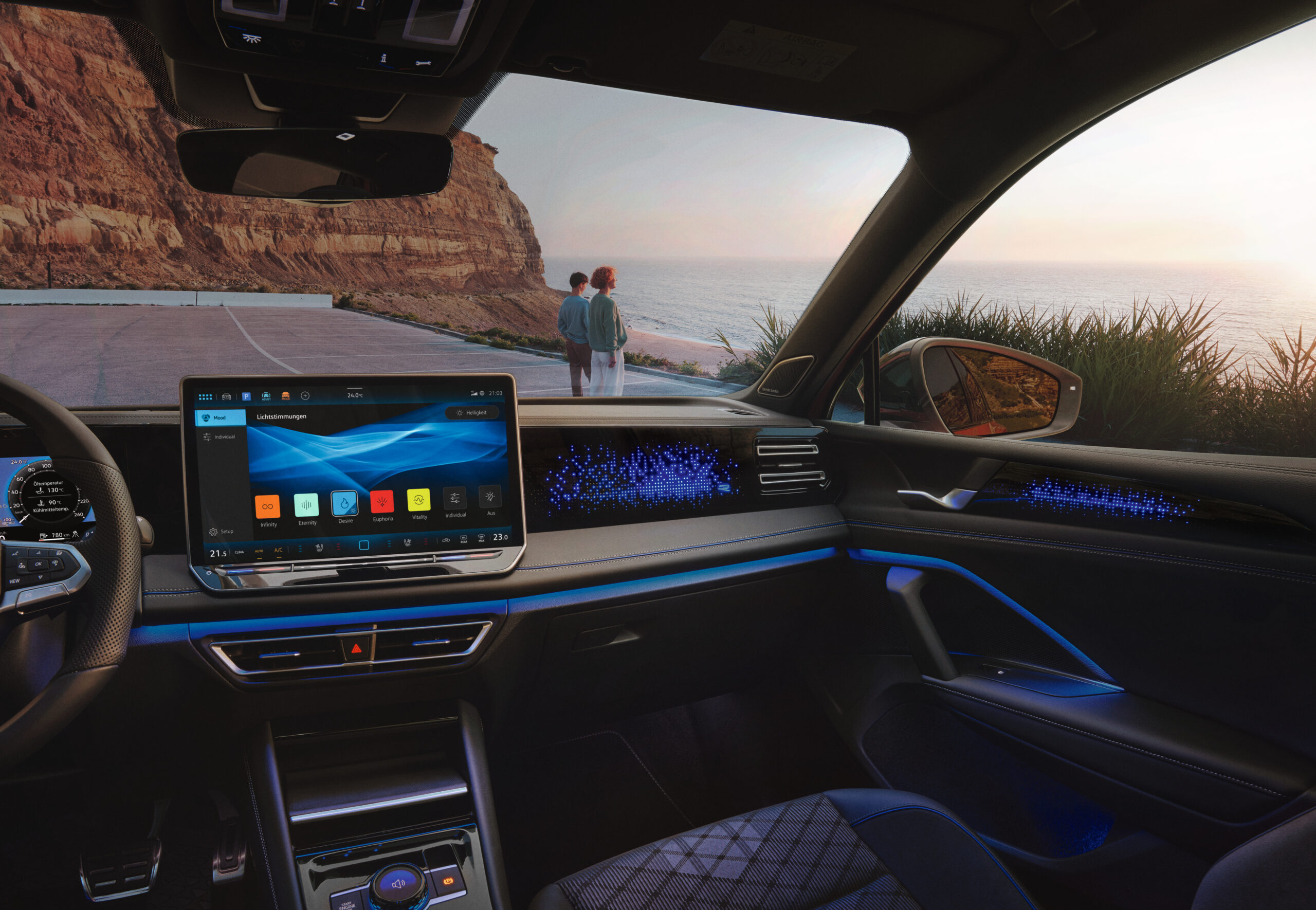
- In the ambient light menu, move the touch sliders for primary and secondary color. Also try out the different presets for the light animations, and pay attention to the different light zones in the footwell, the doors, the center console and the cockpit
Atmosphere/Mood Presets
Atmospheres are exclusive to Tiguan, the Passat is available as “Moods”. These are pre-configured light modes.
Try out the different atmospheres in the ambient light menu. Atmospheres are pre-configured presets with different light and sound settings. You can also create your own atmospheres. Via Spotify, a different playlist can be linked to each preset. (Instructions in the workshop, please try it out on the test drive )
Driving Experience Control
The Driving Experience Control Switch can set driving profile, atmospheres and volume functions. Set your favorites by pushing, twisting and swiping. Look out for the Welcome Home and Leaving Home animation of the switch.
Tiguan and Passat differences:
- In the Tech-Drive, pay attention to the different light zones of the ambient light between the Tiguan and the Passat
- Tiguan: light band in all 4 doors + driving experience control as part of the ambient lighting
- Passat: Illuminated decors in all 4 doors + light band in the centre console